 PPFTEC
Atlassian Forge app for Jira Service Management Cloud
Customer & Organization Importer for Jira Service Management
Bulk-create customers and organizations from a CSV file, add customers to organizations and give them access to service projects. Export them back any time.
Coming soon to the Atlassian Marketplace. 30-day free trial, then $6 per month for up to 10 users and $0.60 per user above that.
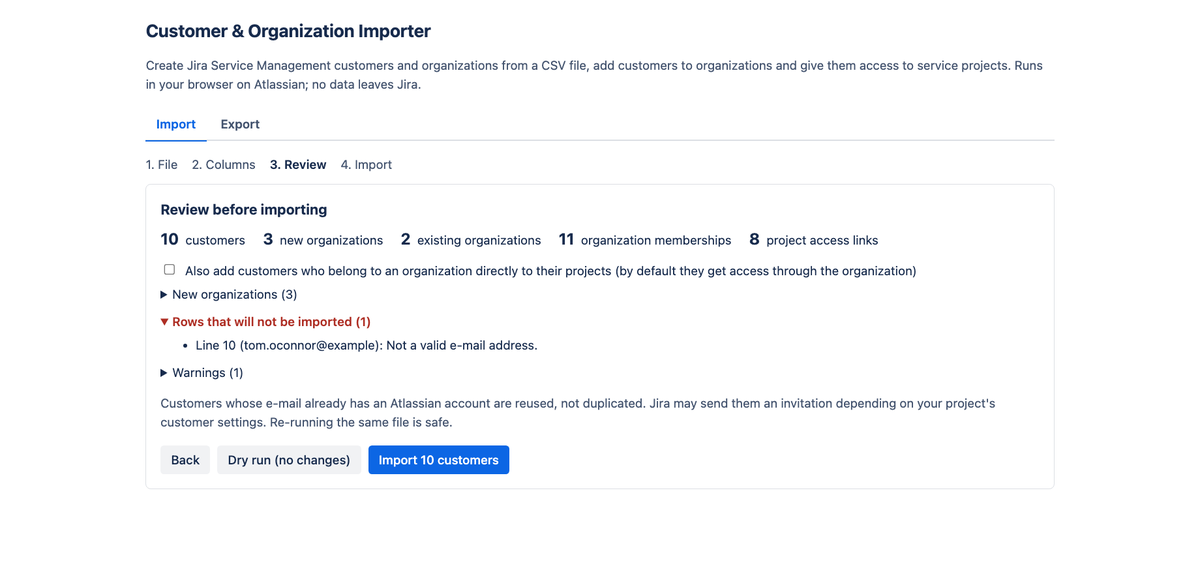
From CSV to customers in minutes
Upload or paste a CSV from Excel, Google Sheets or another help desk. Columns are detected automatically, in English and several other languages. Invalid e-mails and duplicates are caught before import.
Organizations and project access
Create missing organizations, add customers to them and link them to your service projects in one run. Customers who already have an account are reused, never duplicated.
Safe to run, easy to undo mistakes
Try a dry run first. Every import ends with a per-row CSV report, and re-running the same file is safe. Export everything back in the same format for backups or another site.
Why this app
Jira Service Management can import details for customers and organizations that already exist, but it cannot create new customers or organizations from a file. The request to add it, JSDCLOUD-1829, has been open since 2015.
- Import: customers (e-mail and name), their organizations and the service projects they should reach, from one CSV file of up to 10,000 rows.
- Review and dry run: see the plan and download a report before changing anything.
- Export: organizations, members and project access as a CSV in the same format, ready to import into another site.
How it handles your data
- The app is built on Atlassian Forge and runs on Atlassian's platform. It has no backend and no servers operated by PPFTEC.
- Your CSV file is read in your browser and sent only to your own Jira site, through Jira's REST API, as the signed-in administrator. The app stores nothing of its own.
- PPFTEC never receives the file, the customers or any other Jira data. No analytics, no tracking, no external services.
Details: Privacy policy.
Requirements
- Jira Service Management Cloud. The app page is available to Jira administrators.
- Permissions requested by the app:
manage:servicedesk-customer,read:servicedesk-requestandread:jira-user. The app can only do what the signed-in administrator can already do in Jira.